3Register products bought through other LER channels
Bought on the LER website
Products ordered with your account appear on the Warranty page automatically after payment. No registration needed.
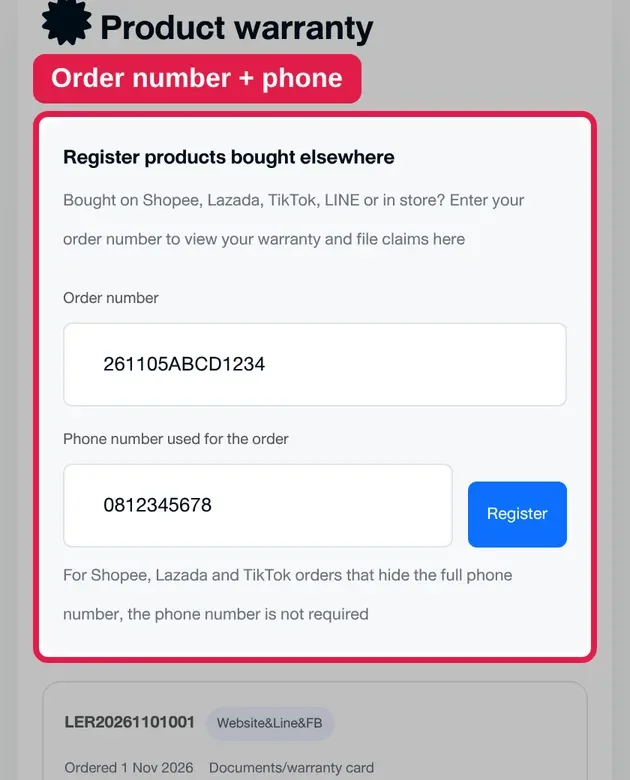
Bought on Shopee, Lazada, TikTok, LINE or at an LER store
Tap Register products bought elsewhere, enter your order number and the phone number used for the order, then tap Register.
Note
You can find your order number in the order history of the channel you bought from.
For Shopee, Lazada or TikTok orders that don't show the full phone number, you can register without entering a phone number.
If you bought in store or via chat and can't register, contact LINE @lerproduct with your receipt number and our team will check it for you.
Enter order number + phone
4Check your warranty period
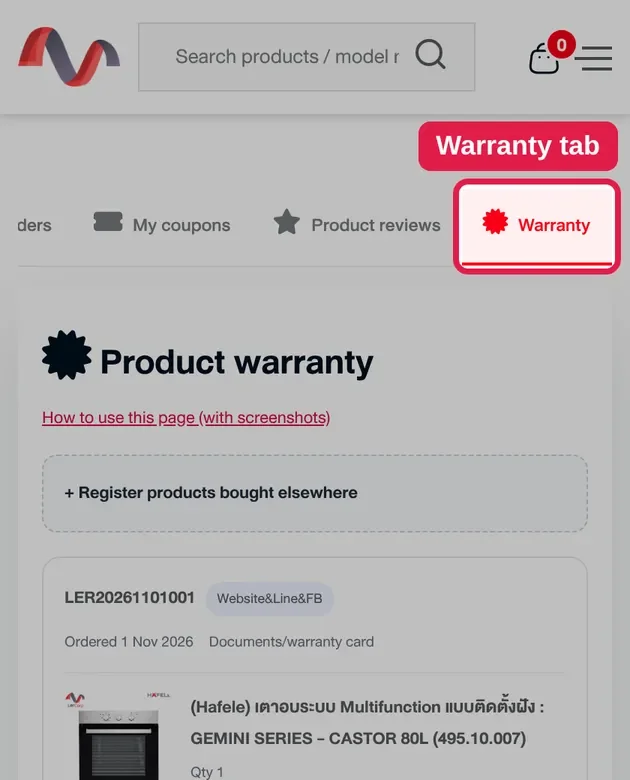
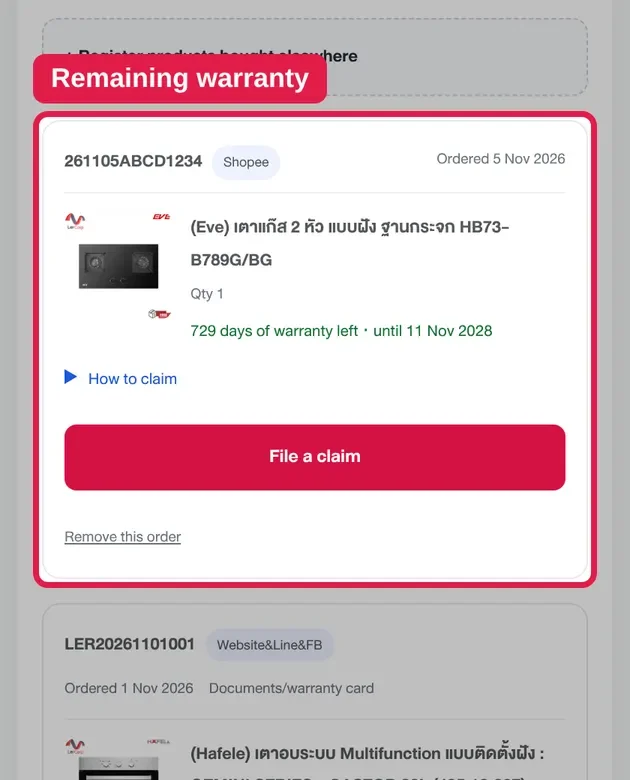
See the remaining warranty and expiry date of every product on one page.
For coverage details or how to contact the service center, choose How to claim under the product.
Note
Products showing Warranty per manufacturer's terms can still be claimed through the system. The warranty follows each brand's terms.
Remaining warranty for each item
5File a warranty claim
If a product has a problem, you can submit a claim on the website as follows:
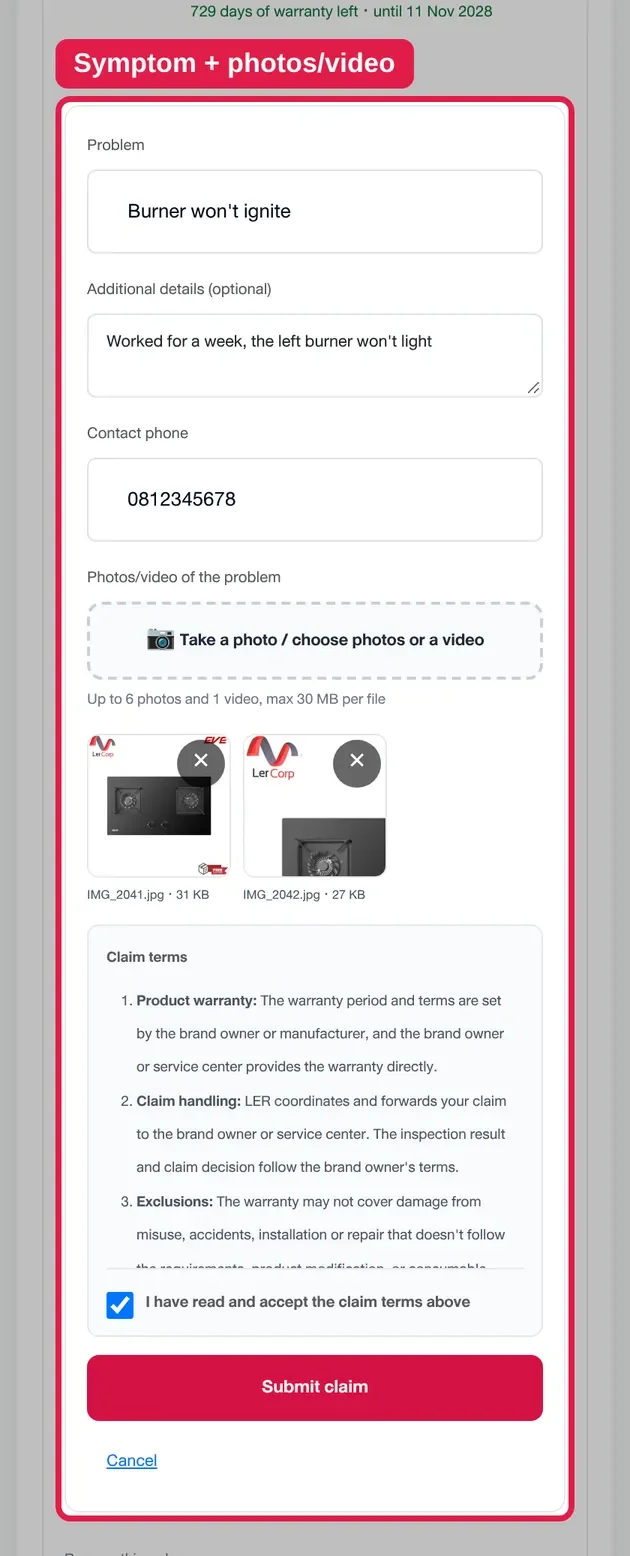
Choose File a claim under the product.
Describe the symptom and details of the problem.
Enter a phone number we can call you back on.
Attach photos or a video to help with the inspection.
Read and accept the claim terms, then tap Submit claim.
Once your claim is submitted, LER will coordinate with the brand owner or service center to inspect it.
Claim form + accept the terms
Tips for attaching evidence
To make the inspection easier and faster, we recommend attaching:
A photo of the model label and serial number
A photo of where the problem or damage is
A video showing the fault (if any)
Up to 6 photos and 1 video, each file up to 30 MB.
Claim terms
Product warranty: The warranty period and terms are set by the brand owner or manufacturer, and the brand owner or service center provides the warranty directly.
Claim handling: LER coordinates and forwards your claim to the brand owner or service center. The inspection result and claim decision follow the brand owner's terms.
Exclusions: The warranty may not cover damage from misuse, accidents, installation or repair that doesn't follow the requirements, product modification, or consumable parts, depending on each brand's terms.
Additional costs: If the product isn't covered by the warranty, inspection, repair, parts or other service fees may apply as set by the service center.
Use of claim information: Your contact details, problem description, photos and videos will be sent to the relevant brand owner or service center to inspect and coordinate the claim.
Good to know
You can submit a new claim for the same product through the system once every 3 days.
If the manufacturer rejects your claim, you can file again right away 1 more time (final attempt). After that, please contact the manufacturer directly.
If the warranty has expired, contact the LER team to ask about paid inspection or repair.
6Track your claim status
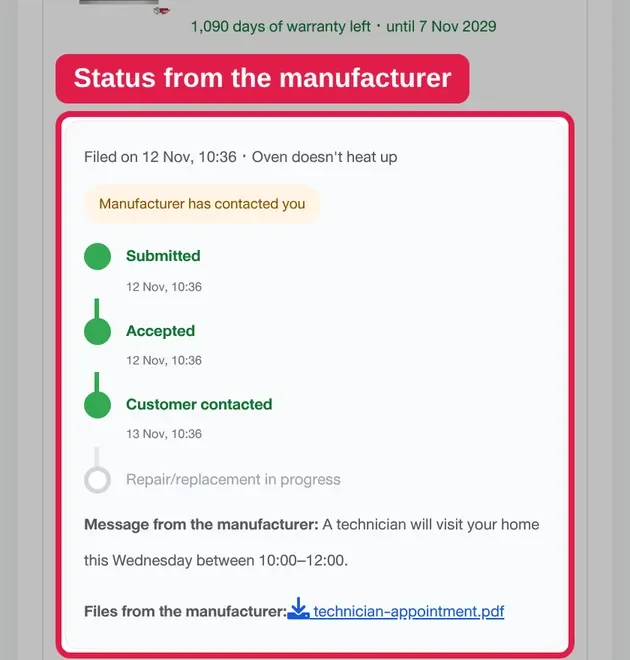
Track your claim's progress on the Warranty page. The system shows the status at each stage:
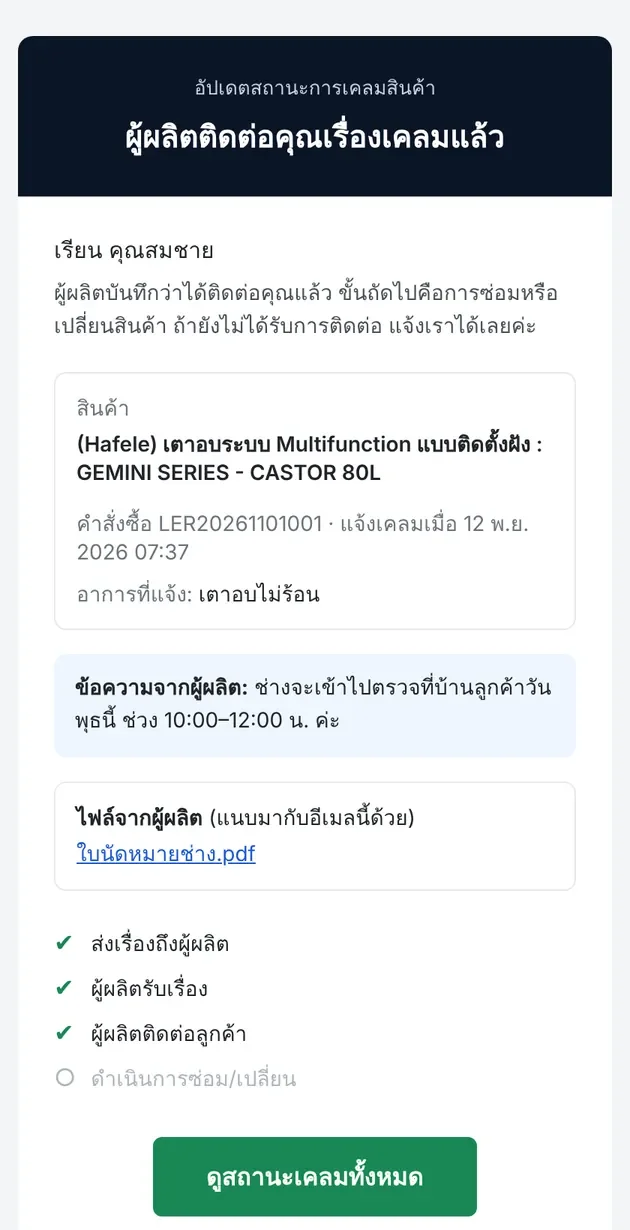
Claim submitted → Manufacturer accepted → Manufacturer contacted you → Repair or replacement
If the inspection finds the product isn't covered by the warranty, the system shows that status with the reason.
Whenever the status changes, we email you at your registered address, together with any message or document from the service center. You can also review them on the website.
If the manufacturer hasn't accepted your claim within 2 business days, the LER team will follow up for you.
Claim status on the websiteSample status email (emails are sent in Thai)
Need more help?
If you have questions about registering your warranty, filing a claim or tracking its status, the LER team is happy to help.